
Click to Pay
A faster checkout with the Click to Pay digital wallet using saved cards
Click to Pay is a secure online checkout experience that lets customers pay with their saved credit or debit cards without entering their card details on every purchase. It is based on the EMV® Secure Remote Commerce (SRC) standard, which is backed by the major card networks (Visa, Mastercard, American Express, and Discover).
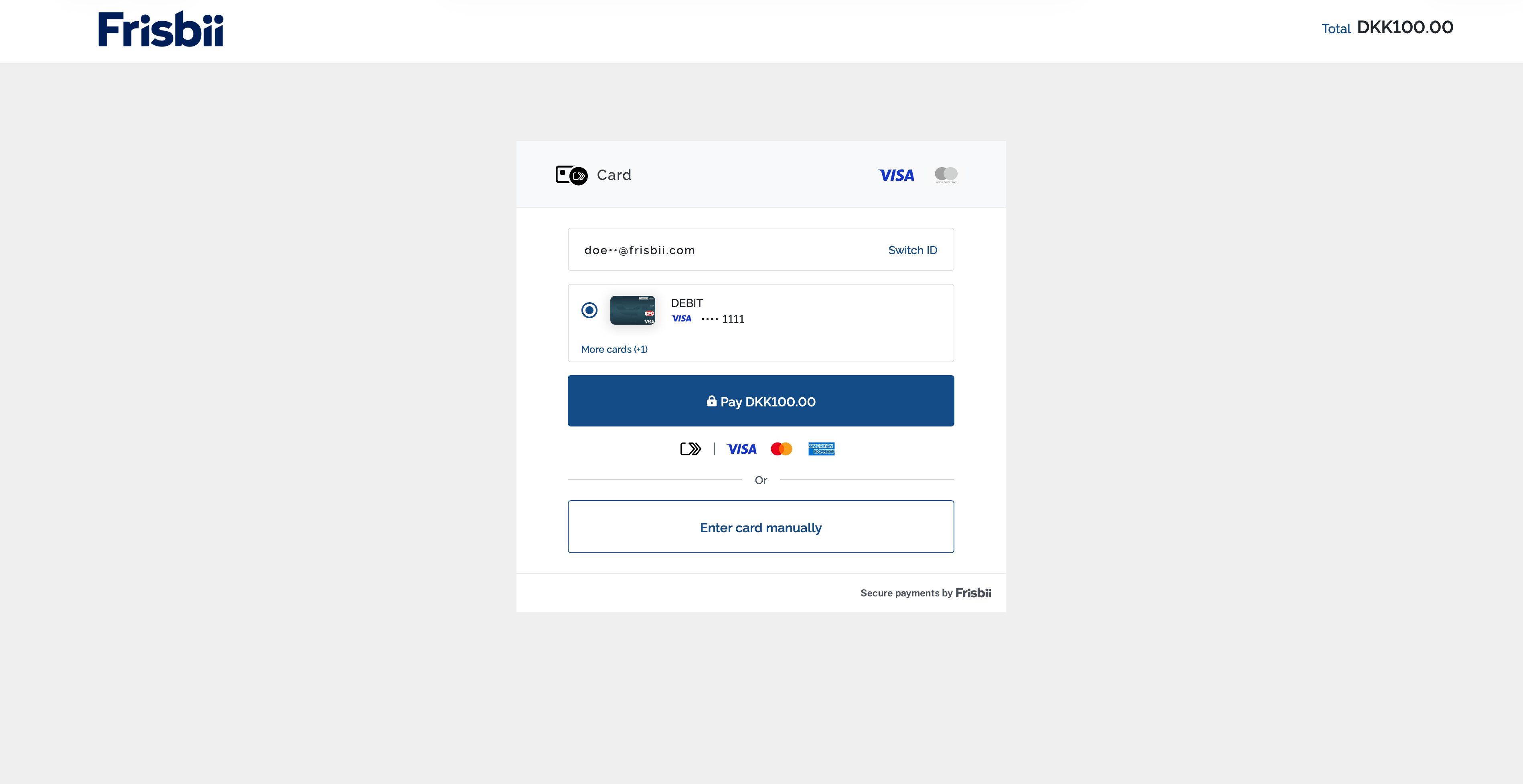
Visa card (from Visa/Dankort) saved in Click to Pay
Frisbii Checkout presents Click to Pay when the checkout session’s payment_methods list contains click_to_pay together with a supported card payment method.
Click to Pay currently supports Visa and Mastercard card types only, so the list must also include visa, mc, orcard, which may include Visa or Mastercard too. The list of payment methods can be found here.
"payment_methods": [
    "visa",
    "mc",
    "click_to_pay"
]
How to activate Click to Pay
Click to Pay can be activated in Frisbii Admin and requires a card-acquiring agreement supporting the relevant card schemes.
-
Sign in: Go to https://app.frisbii.com/ and sign in.
-
Open configurations: In the left sidebar, click Configurations.
-
Go to checkout management: Navigate to Checkout management.
-
Open payment methods: Click Payment methods (or go directly to https://app.frisbii.com/#/rp/config/payment-methods).
-
Find Click to Pay: Locate Click to Pay in the payment methods list.
-
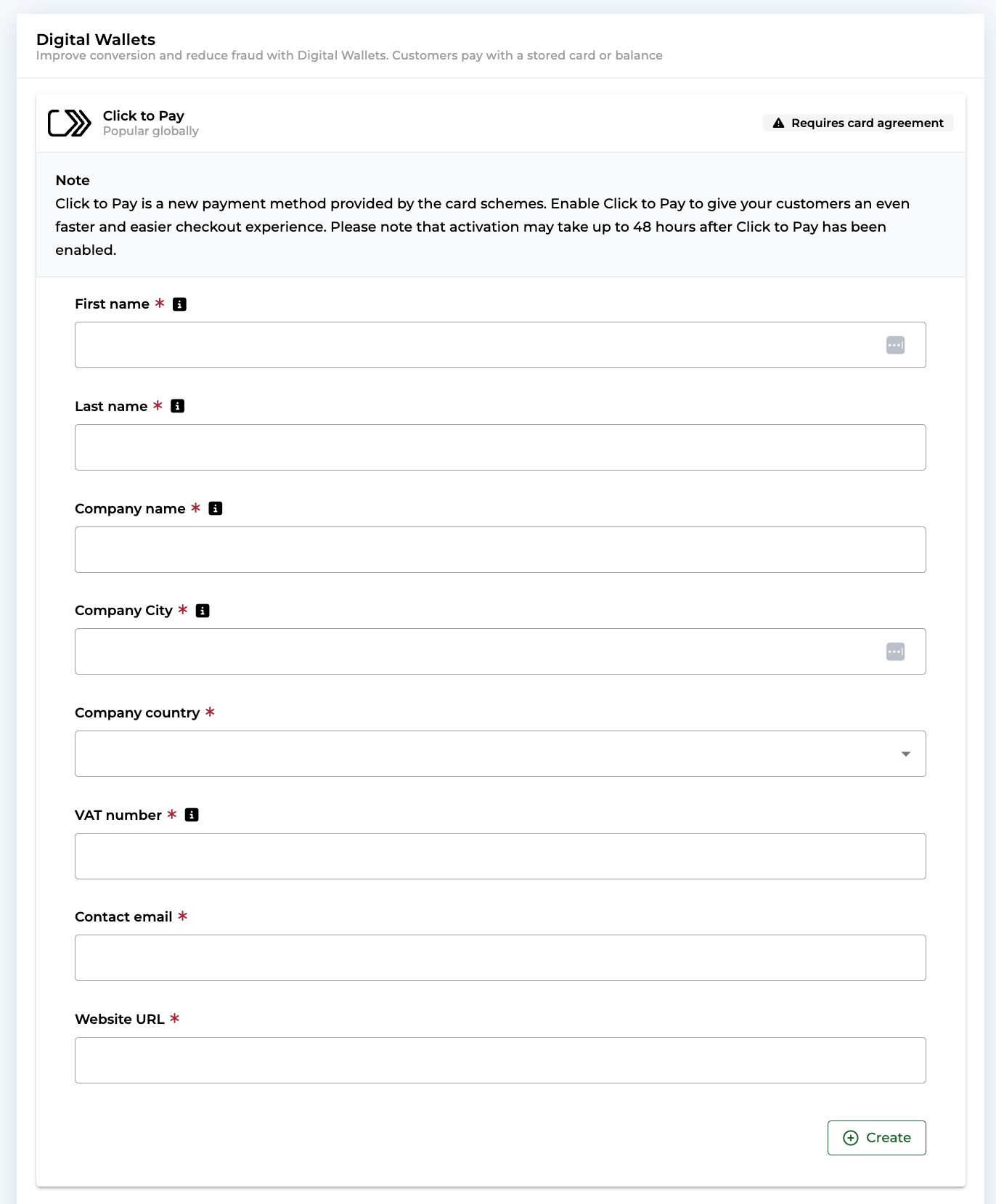
Complete the details: In the Click to Pay configuration, fill in the required merchant details.
-
Create: Click Create to save and enable Click to Pay.
NotePlease be advised that Visa and Mastercard may take up to 48 hours to process the onboarding request. Click to Pay payments will only be accepted once processing is complete.
Card network support and authentication
Click to Pay currently supports Visa and Mastercard card types only, including their debit brands:
- Visa, Visa Electron, and the Visa part of Visa/Dankort
- Mastercard and Maestro
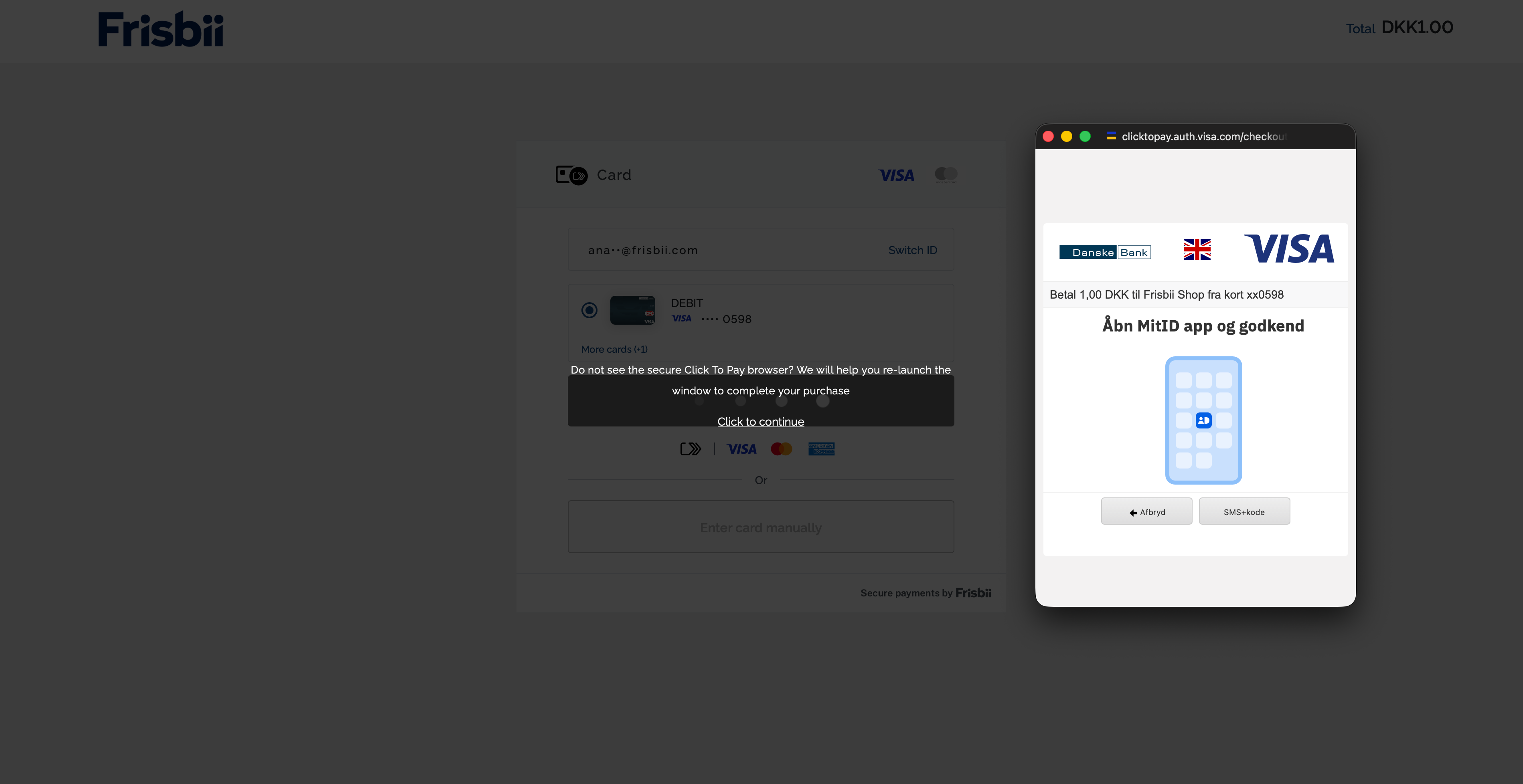
When a user selects Click to Pay in checkout, 3-D Secure (3DS) authentication is handled by Click to Pay.
Liability shift
Click to Pay supports liability shift for Visa and Mastercard transactions that are successfully authenticated with 3-D Secure (3DS) during the Click to Pay flow. Eligibility and any exclusions are determined by the Visa and Mastercard scheme rules and the acquiring setup.
Liability shift means that, in eligible scenarios, the financial risk in case of fraud is shifted away from the merchant and handled by the card issuer / network rules and the acquiring setup.
The liability shift outcome is not presented as a dedicated field in the Frisbii API or in Frisbii Admin, it is handled implicitly as part of the underlying scheme and acquiring flow.
Availability
Click to Pay has no device, operating system, browser, or wallet-app dependencies. It is available across all platforms and browsers, including in-app WebViews, provided the customer holds a supported Visa or Mastercard card.
Card linking
When a customer pays with a card, they have the option to enroll (link) the card with Click to Pay. Enrolment requires the customer's details and the cardholder name.
Enrolled cards are registered with the relevant card network's own Secure Remote Commerce (SRC) system.
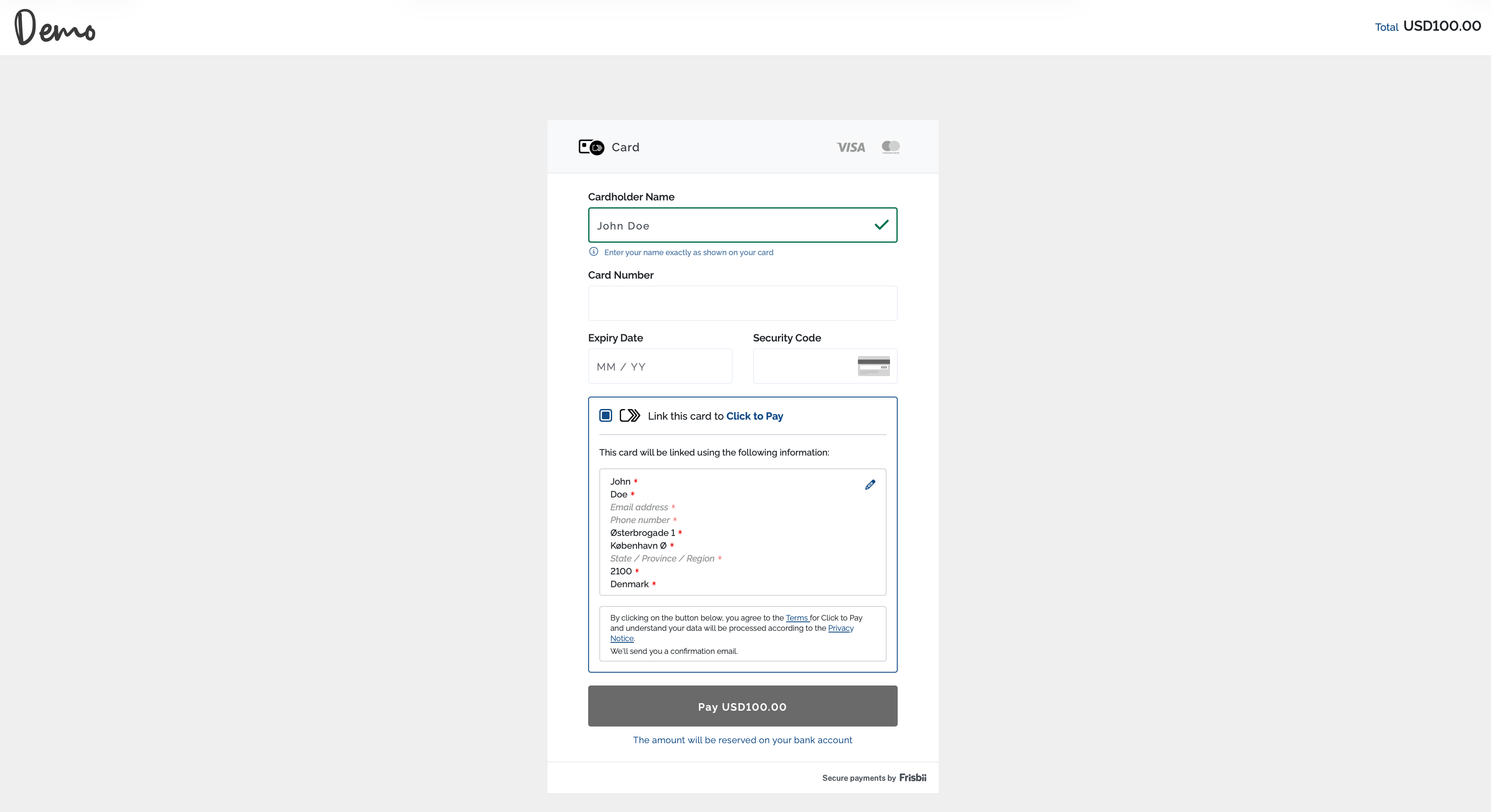
Link card to Click to Pay after a successful card payment
Manage linked cards
Customers who have linked their cards to Click to Pay can manage them directly through the relevant Visa or Mastercard platform:
Updated 2 months ago